


Blue Robotics
BlueBoat BaseStation
BlueBoat BaseStation
Couldn't load pickup availability
The BaseStation is a wifi radio access point for the BlueBoat with a 2.4 Ghz MikroTik radio, internal battery and charge management, and USB-C connectivity. You can connect directly over USB-C or connect your device to the access point to connect with your BlueBoat.
Contents
- 1 x BaseStation
- 1 x USB-C cable, 2m
- 1 x Antenna, 2.4Ghz 7dBi omni
Specifications
| Parameter | Value | |
|---|---|---|
| Physical | ||
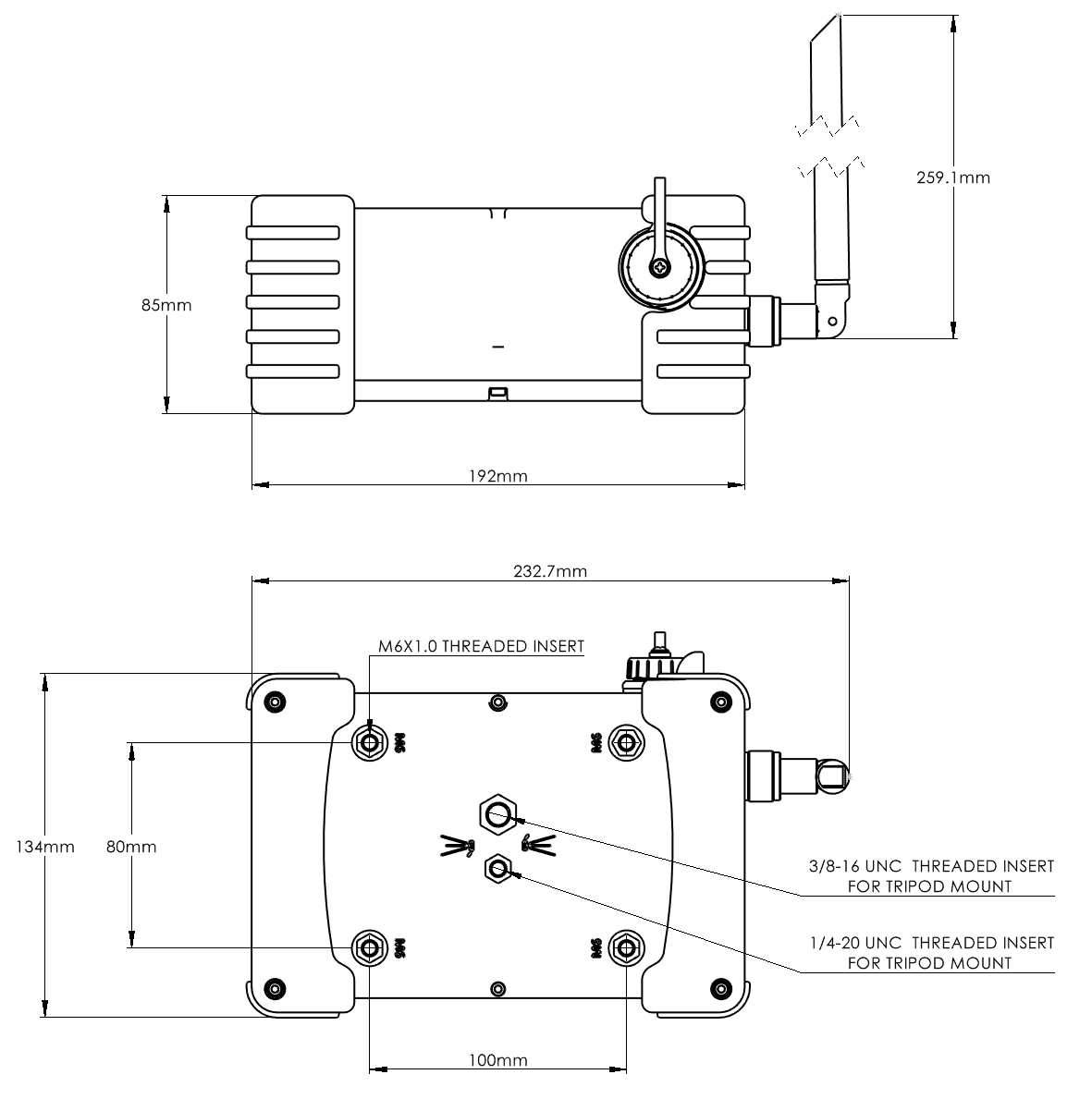
| Length x Width x Height (No Antenna) | 190 x 135 x 84 mm | 7.5 x 5.3 x 3.3 in |
| Weight | 660 g | 1.5 lbs |
| IP Rating | IP67 | |
| Tripod Mounting | 1/4" and 3/8" Threaded inserts | |
| Other Mounting Points | 4x M6×1 Threaded inserts | |
| Materials | 30% Glass filled polycarbonate box Silicone bumpers Silicone gasket SS316 threaded inserts |
|
| Communications | ||
| Wireless Communications Protocol | 802.11a/b/g/n (2412 - 2462MHz) | |
| Wireless Router | MikroTik RBGrooveA-52HPn | |
| Default Wireless Configuration | Access Point Mode (AP) | |
| Default SSID | "BaseStation - 2.4Ghz" | |
| Default Password | "BaseStation" | |
| BaseStation Router Default IP Address | 192.168.2.3 | |
| BlueBoat Router Default IP Address | 192.168.2.4 | |
| Included Antenna | 7dBi 2.4Ghz Omnidirectional, N-type male connector | |
| Wireless Range for Telemetry and Control (w/ included antennas) ¹ | up to 250 m | up to 0.135 NM |
| Wireless Range for Telemetry and Control(w/ directional antennas, not included) ¹ | >1 km | >0.54 NM |
| Connection to Computer | 2.4Ghz Wi-Fi or USB-C | |
| Electrical | ||
| Internal Battery | 3x 18650 Lithium-Ion Cells (1S3P) | |
| Internal Battery Capacity | 36Wh | |
| Typical Runtime | 6–8 hrs² | |
| Max Charging Rate | 9W (5V/1.8A) | |
| Charging Time | 4 hrs | |
| ¹ Dependent on operating conditions. Weather, sea state, BaseStation height, wireless interference and noise will affect wireless range. ² Indefinite runtime when powered through USB-C Cable. Charging through USB-C connection can be toggled from button panel. |
||
2D Drawings
3D Models
 BASESTATION_BR-101669 (.zip)
Revision History
9 July 2024
- Default wireless settings updated
27 March 2024
- BR-101669 RevB - Initial release
- USB-C bulkhead now reversible
- USB-C 90 degree cable changed to 90 degree to straight cable
- Increased hardness of silicone bumpers
- Corrected maximum charge rate and charge time in technical details
31 October 2023
- BR-101669 - Initial release
-
Specifications
Parameter Value Physical Length x Width x Height (No Antenna) 190 x 135 x 84 mm 7.5 x 5.3 x 3.3 in Weight 660 g 1.5 lbs IP Rating IP67 Tripod Mounting 1/4" and 3/8" Threaded inserts Other Mounting Points 4x M6×1 Threaded inserts Materials 30% Glass filled polycarbonate box
Silicone bumpers
Silicone gasket
SS316 threaded insertsCommunications Wireless Communications Protocol 802.11a/b/g/n (2412 - 2462MHz) Wireless Router MikroTik RBGrooveA-52HPn Default Wireless Configuration Access Point Mode (AP) Default SSID "BaseStation - 2.4Ghz" Default Password "BaseStation" BaseStation Router Default IP Address 192.168.2.3 BlueBoat Router Default IP Address 192.168.2.4 Included Antenna 7dBi 2.4Ghz Omnidirectional, N-type male connector Wireless Range for Telemetry and Control (w/ included antennas) ¹ up to 250 m up to 0.135 NM Wireless Range for Telemetry and Control(w/ directional antennas, not included) ¹ >1 km >0.54 NM Connection to Computer 2.4Ghz Wi-Fi or USB-C Electrical Internal Battery 3x 18650 Lithium-Ion Cells (1S3P) Internal Battery Capacity 36Wh Typical Runtime 6–8 hrs² Max Charging Rate 9W (5V/1.8A) Charging Time 4 hrs ¹ Dependent on operating conditions. Weather, sea state, BaseStation height, wireless interference and noise will affect wireless range.
² Indefinite runtime when powered through USB-C Cable. Charging through USB-C connection can be toggled from button panel.2D Drawings
3D Models
 BASESTATION_BR-101669 (.zip)
Revision History
9 July 2024
- Default wireless settings updated
27 March 2024
- BR-101669 RevB - Initial release
- USB-C bulkhead now reversible
- USB-C 90 degree cable changed to 90 degree to straight cable
- Increased hardness of silicone bumpers
- Corrected maximum charge rate and charge time in technical details
31 October 2023
- BR-101669 - Initial release
Quick Start
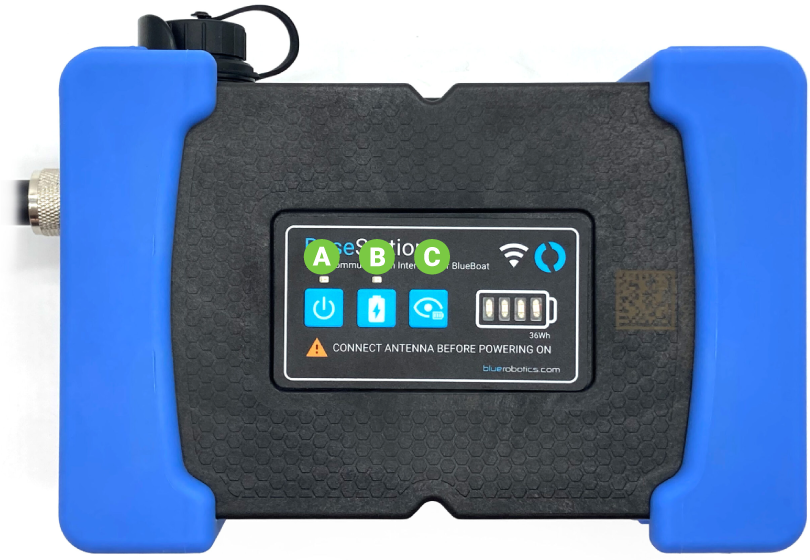
1. Connect the antenna to the BaseStation before powering on the BaseStation. Never power on the BaseStation without an antenna connected as this can damage the router inside.
2. Use the buttons on the control pad to power on and charge the BaseStation. Press the power button (A) to turn the BaseStation on and off. Press the charge (B) button to toggle charging on and off. Press the charge status button (C) to show the internal battery charge status.
Check out the BlueBoat Software Setup Guide for pairing and connection instructions.
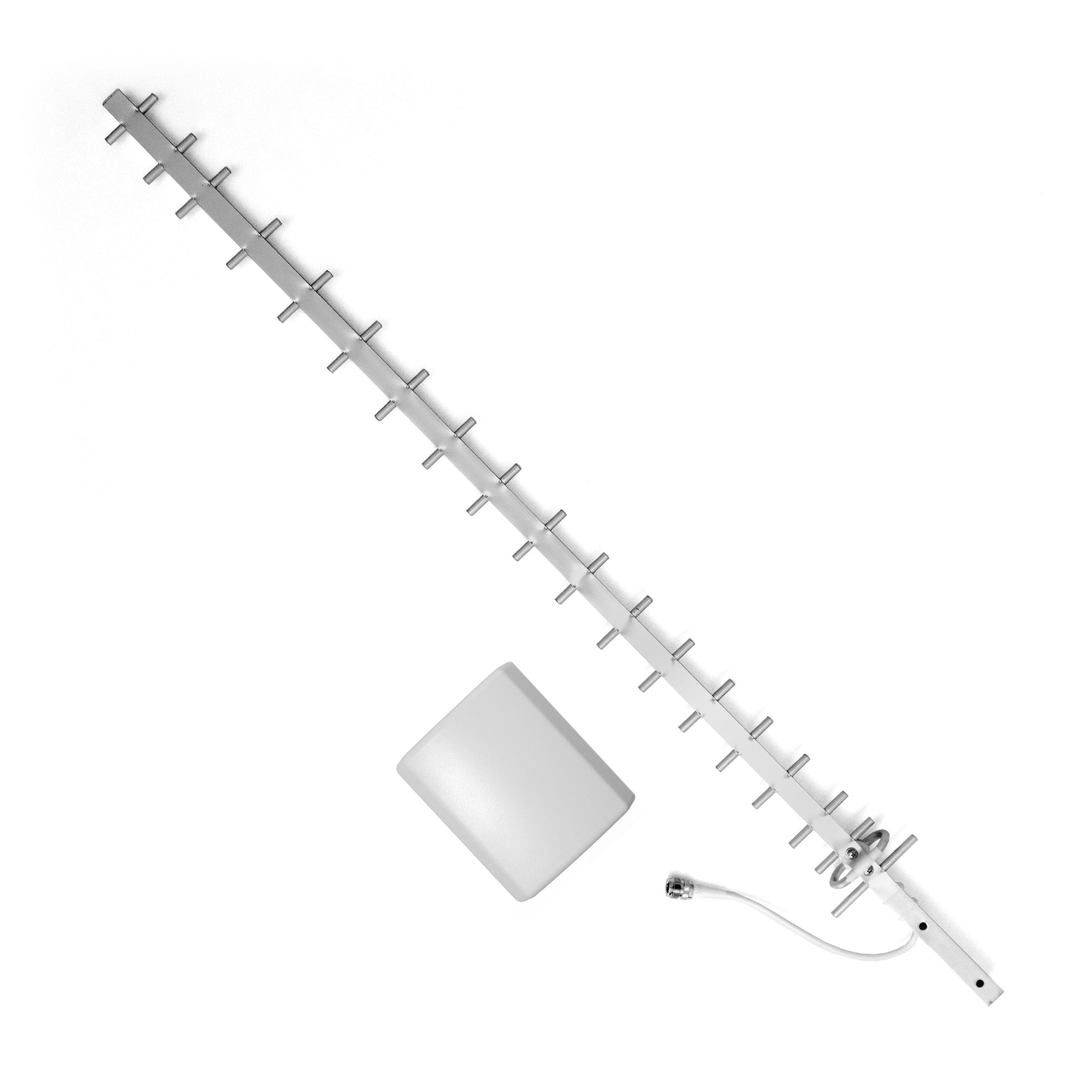
BaseStation Directional Antenna Kit Guide
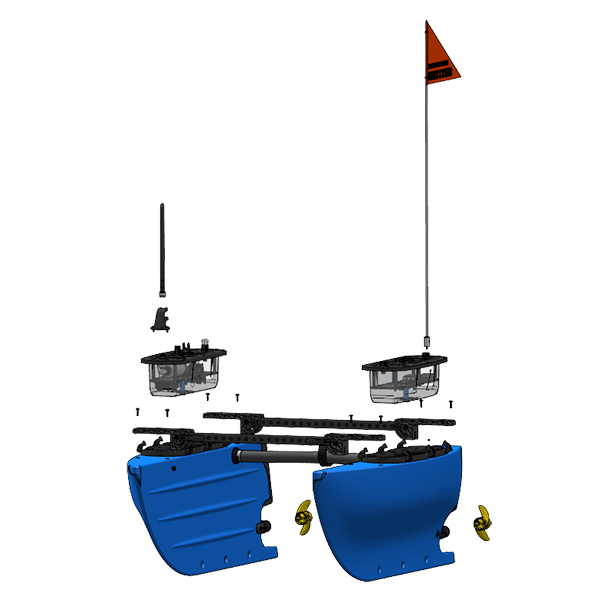
BlueBoat Assembly Guide
BlueBoat Software Setup
BlueBoat Operator’s Guide


